
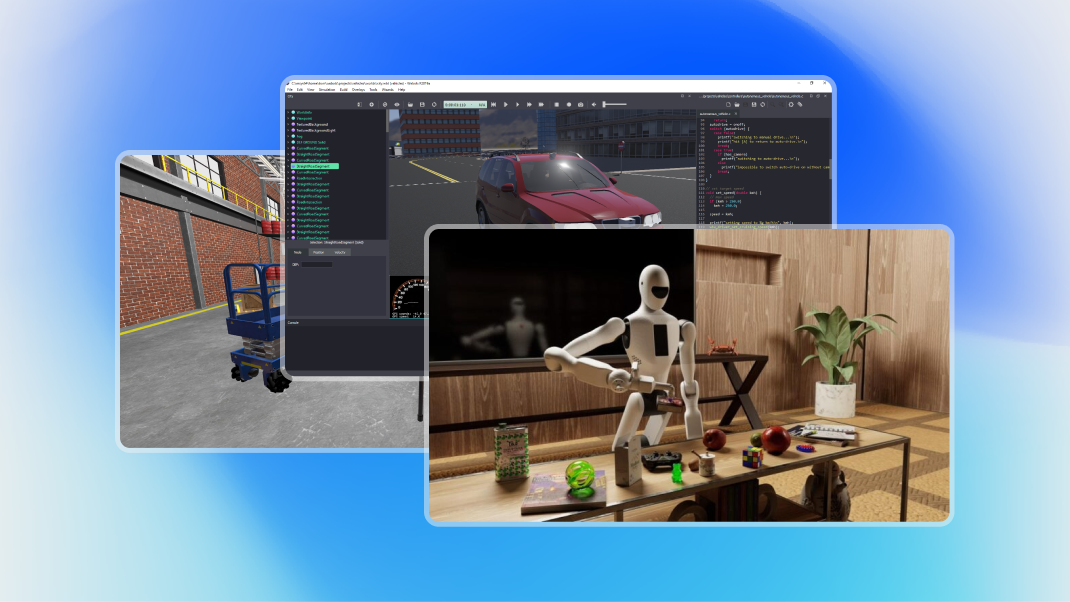
Robot simulation software has become essential for modern robotics development, enabling engineers to design, test, and train robots virtually before expensive physical deployment. With 8,100 monthly searches for "robot simulation software," this comprehensive guide compares leading platforms and helps you select the right tool for your robotics projects.
Traditional robot development required building physical prototypes for every design iteration—expensive, time-consuming, and limiting experimentation. Robot simulation transforms this by enabling virtual prototyping (test designs before building), rapid iteration (modify and retest in minutes vs weeks), cost reduction (avoiding expensive physical prototypes), safety (test dangerous scenarios risk-free), and scalability (simulate hundreds of robots simultaneously).
Companies using robot simulation report 50-70% reductions in development time and costs.
Comprehensive robot simulation platforms offer physics engines (realistic gravity, collisions, friction), 3D visualization (seeing robot behavior in detail), sensor simulation (cameras, LiDAR, radar, ultrasonic), environment creation (factories, warehouses, outdoor spaces), motion planning (path planning algorithms), multi-robot coordination (fleet simulation), and AI training capabilities (reinforcement learning, computer vision).
Overview: Built on NVIDIA Omniverse, Isaac Sim is specifically designed for AI-powered robotics simulation with photorealistic rendering and accurate physics.
Key Features:
Best For: AI/ML-powered robots, computer vision development, warehouse automation, autonomous vehicles, digital twins.
Pricing: Free for individuals and educational use, enterprise licensing available.
Strengths: Best-in-class visual quality, excellent for training AI perception systems, NVIDIA GPU acceleration, strong industry adoption.
Limitations: Requires NVIDIA GPU (RTX preferred), steeper learning curve, Windows/Linux only.
Overview: The most popular open-source robot simulation platform, widely used in research and education.
Key Features:
Best For: Research, education, ROS-based development, academic projects, open-source robotics.
Pricing: Free and open source.
Strengths: Zero cost, massive community, extensive documentation, ROS integration, proven reliability.
Limitations: Graphics less realistic than commercial alternatives, slower rendering than GPU-accelerated options, less user-friendly interface.
Overview: Professional open-source robot simulator used in education and research, recently open-sourced (2018).
Key Features:
Best For: Education, multi-robot systems, mobile robotics, swarm robotics, rapid prototyping.
Pricing: Free and open source.
Strengths: User-friendly interface, good documentation, cross-platform, large robot library.
Limitations: Less photorealistic than Isaac Sim, smaller community than Gazebo, fewer third-party plugins.
Overview: Versatile robot simulation platform with strong academic and research presence.
Key Features:
Best For: Research, algorithm development, education, various robot types, multi-robot systems.
Pricing: Free educational license, commercial from $270-$7,500/year.
Strengths: Extremely versatile, large model library, flexible programming, good documentation.
Limitations: Interface can be overwhelming, steeper learning curve, less community than Gazebo.
Overview: MathWorks' robotics simulation integrated with MATLAB ecosystem.
Key Features:
Best For: Control system design, algorithm development, academic research, companies already using MATLAB.
Pricing: Part of MATLAB (from $2,150 + Robotics Toolbox ~$1,150/year academic, higher commercial).
Strengths: Powerful mathematical tools, excellent for control algorithms, code generation for deployment, strong academic presence.
Limitations: Expensive, requires MATLAB expertise, less realistic graphics than gaming-engine-based simulators.
Overview: Unity game engine adapted for robotics simulation, leveraging gaming industry rendering quality.
Key Features:
Best For: Computer vision training, realistic environments, custom simulation development, AI/ML training.
Pricing: Free for personal/small businesses (<$100K revenue), commercial licenses from $185/month.
Strengths: Excellent graphics, massive asset library, flexible customization, machine learning integration.
Limitations: Gaming engine not specifically designed for robotics, requires Unity expertise, physics less accurate than specialized robotics simulators.
Overview: Physics engine and simulator focused on contact-rich dynamics, recently open-sourced by DeepMind.
Key Features:
Best For: Reinforcement learning research, locomotion research, manipulation with contacts, academic research.
Pricing: Free and open source (since 2021).
Strengths: Very fast physics simulation, excellent for RL research, accurate contact dynamics, open-source.
Limitations: No built-in visualization (requires external viewers), focused on physics not graphics, steeper learning curve.
For AI/Computer Vision: NVIDIA Isaac Sim (photorealism essential for perception training), Unity Robotics (good graphics, ML-Agents integration).
For ROS Development: Gazebo (tightest ROS integration, standard in ROS community), Webots (good ROS support, easier to use).
For Education/Learning: Webots (user-friendly, good tutorials), Gazebo (most common in academics, extensive resources).
For Research: MuJoCo (reinforcement learning, locomotion), Gazebo (general robotics research), CoppeliaSim (versatile research platform).
For Industrial Applications: Isaac Sim (digital twins, warehouse automation), CoppeliaSim Professional (commercial support).
For Control Systems: MATLAB Robotics Toolbox (algorithm design, hardware deployment).
Choose based on use case recommendations above. When in doubt, start with free options (Gazebo, Webots, MuJoCo).
The "sim-to-real gap" refers to differences between simulated and real-world robot behavior. Minimizing this gap requires accurate physics parameters (mass, inertia, friction coefficients), realistic sensor models (including noise, latency, failures), domain randomization (varying parameters during training), sim-to-real transfer techniques (domain adaptation, reality gap compensation), and validation (testing both in simulation and reality).
No simulation perfectly matches reality, but modern platforms get remarkably close—especially for computer vision and navigation tasks.
Cloud-based simulation is growing:
AWS RoboMaker: Gazebo-based cloud simulation, scalable compute resources, easy integration with AWS services.
Microsoft Azure: Partners with various simulators, Azure compute integration, enterprise support.
Benefits: Massive scalability (run thousands of simulations parallelly), no local hardware requirements, pay-per-use pricing, collaboration capabilities.
Use Cases: Large-scale AI training (thousands of training runs), batch testing (testing algorithms across many scenarios), distributed teams (accessing simulations from anywhere).
For UAE and Saudi Arabia, robot simulation offers strategic advantages:
Cost-Effective Development: Reduce expensive physical prototyping, particularly valuable for new companies and startups.
Rapid Innovation: Accelerate development cycles critical for competitive advantage.
Skills Development: Train workforce in robotics without expensive hardware investments.
NEOM and Smart Cities: Simulate entire autonomous systems before physical deployment, validate concepts for megaprojects, optimize designs virtually.
Educational Infrastructure: Universities and technical institutes can provide world-class robotics education with limited physical robot budgets.
Robot simulation software has evolved from niche research tools to essential development platforms. Whether you're a student learning robotics, a researcher developing algorithms, or a company deploying autonomous systems, simulation accelerates development while reducing costs and risks.
The right platform depends on your specific needs—photorealistic AI training (Isaac Sim), ROS development (Gazebo), education (Webots), research (MuJoCo), or control design (MATLAB). Many organizations use multiple platforms, leveraging each tool's strengths.
As robotics adoption accelerates globally, simulation expertise becomes increasingly valuable. Organizations and individuals mastering these platforms gain significant competitive advantages in the robotic revolution transforming industries worldwide.